

SG Name Card Team
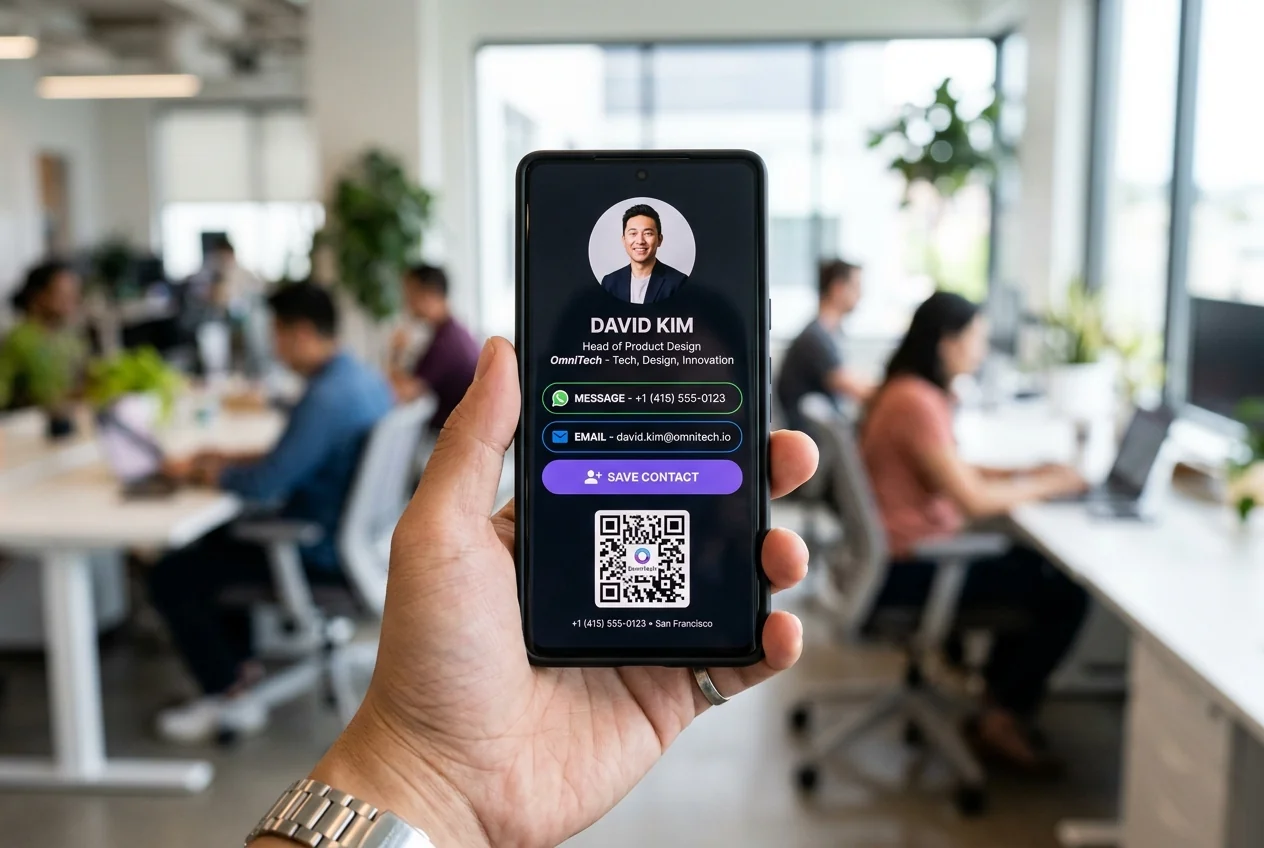
Updated September 2026 · 6 min readPicture this: You’re standing at a busy networking event, having a great conversation with a potential high-value client. They ask for your details. Instead of digging through your pockets for a paper card—or worse, realizing you ran out—you pull out your phone, show a clean QR code, and let them tap or scan it.
In less than two seconds, your full contact profile opens directly on their screen. They save your phone number, direct email, LinkedIn profile, and calendar link with a single tap.
No manual typing. No lost paper. No missed opportunities.
Building a digital business card online is no longer just a neat tech trick; it’s one of the easiest ways to streamline your sales pipeline and make sure every conversation turns into a lasting connection. Here is a clear, step-by-step guide to setting up a digital card that actually works for your business.
What Makes a Great Digital Business Card Builder?
Before you pick a platform and start adding your details, it helps to know what features actually matter. Not all digital card tools are built equal. Some look like messy social media link directories, while others look like plain, outdated contact forms.
A high-converting digital business card builder should give you:
- • Zero-App Access: Your contacts shouldn't have to download an app or create an account just to view or save your card. It should open instantly in any default mobile browser like Safari or Chrome.
- • One-Tap Contact Download (VCF): A single click should download your complete Virtual Contact File directly into the recipient's phone contacts.
- • Direct Action Triggers: One-click buttons to launch a direct WhatsApp chat, place a phone call, or open a location in Google Maps.
- • Dynamic Media Support: The ability to embed product demo videos, PDF pitch decks, agency portfolios, and direct calendar booking links (like Calendly).
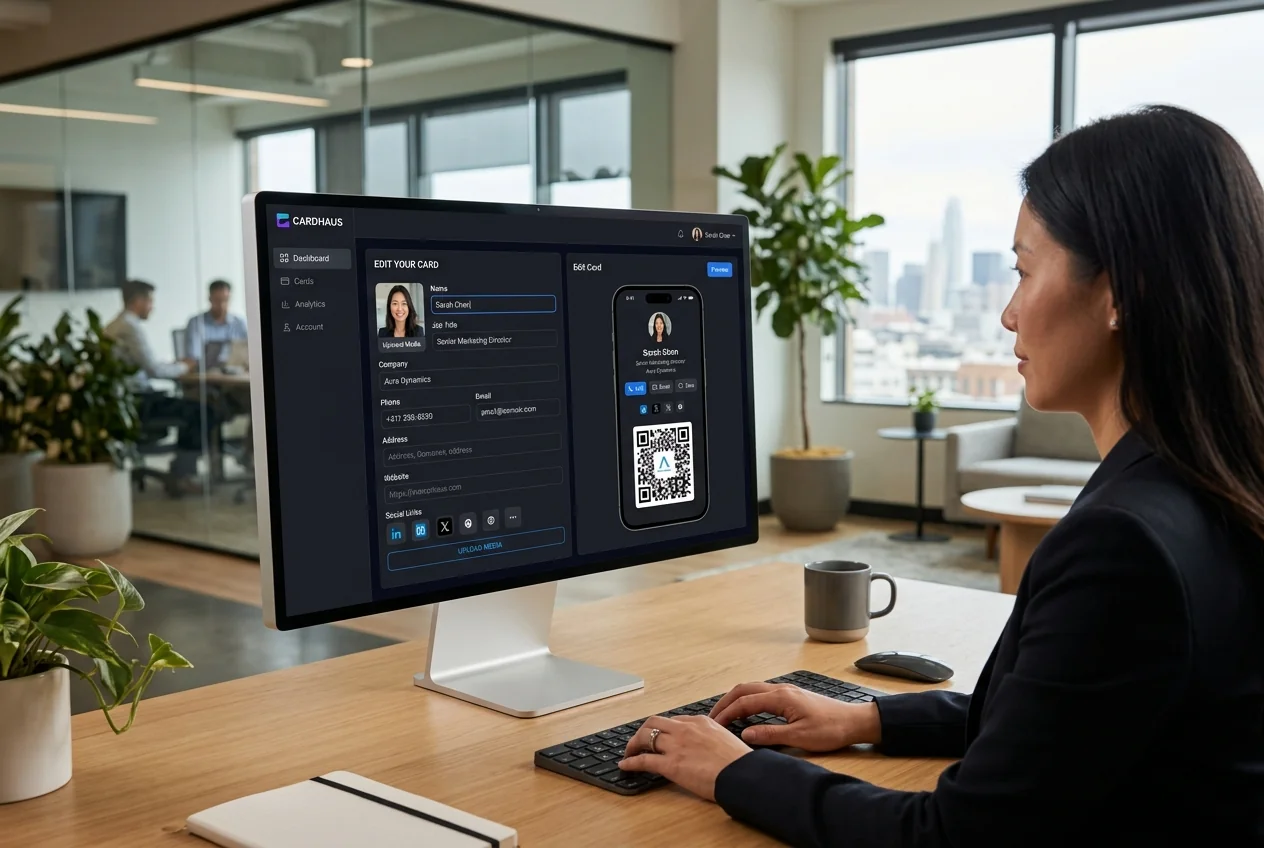
- • Real-Time Edits: A central dashboard where you can update your phone number, job title, or branding in seconds without having to re-share your link or QR code.
Step-by-Step: How to Build Your Card Online
Step 1: Choose Your Layout & Brand Theme
Start by selecting a template that matches your industry. If you work in corporate finance or legal services, stick to clean typography, strong contrast, and deep color palettes like dark navy, slate gray, or crisp white. If you work in a creative agency or tech startup, you can experiment with modern vertical cards or vibrant accent colors.
Step 2: Add Your Core Contact Hierarchy
Don't clutter your digital card with unnecessary details. Keep the information structured so it's effortless to scan:
- • Header: High-resolution professional headshot and your company logo.
- • Identity: Your full name, current job title, and company name.
- • Primary Actions: Direct phone number, professional email, and instant WhatsApp button.
Step 3: Embed Interactive Media & Booking Links
This is where digital cards completely outperform paper. Add high-value links right below your main contact info:
- • A direct link to your online calendar so clients can book a meeting on the spot.
- • A downloadable PDF of your company's latest case study or service catalog.
- • A short 60-second video introducing your brand or showing a product demo.
Step 4: Configure Your QR Code and NFC Wallet Cards
Once your digital landing page is live, set up your sharing channels. Save your unique card QR code to your Apple Wallet or Google Wallet so you can access it instantly even when you're offline. If you attend frequent physical events, you can also link your digital profile to a single custom NFC card for quick physical taps.
Quick Setup Checklist for Teams
If you are setting up digital business cards for a corporate team or growing company, keep these operational tips in mind:
| Setup Step | Best Practice | Why It Matters |
|---|---|---|
| Domain Setup | Host on a custom URL (e.g., cards.yourbrand.com) | Increases trust and reinforces brand authority |
| Admin Control | Use a central dashboard to manage employee cards | Ensures brand consistency across all sales reps |
| CRM Integration | Connect lead forms to HubSpot, Salesforce, or Zoho | Automatically captures prospect data into your pipeline |
| Analytics Tracking | Monitor profile views, scans, and link clicks | Helps measure event networking performance |
Common Mistakes to Avoid
- Forgetting the Primary Call to Action: Don't just dump your information onto the screen. Tell the visitor what to do next—whether that's tapping "Save Contact" or clicking "Schedule Intro Call."
- Using Low-Resolution Photos: Your headshot and logo will be viewed on crisp smartphone displays. Use high-resolution images with clean background lighting.
- Making the Page Too Long: Keep your most important links near the top. If a lead has to scroll through ten different social media icons to find your email, you run the risk of losing their attention.
Ready to Upgrade Your Networking Workflow?
Building a digital business card takes just a few minutes, but it completely changes how you connect with prospective clients. You eliminate print waste, save money on constant reorders, and ensure that every conversation leads to a clean, accurate contact in your pipeline.
Take control of your first impression, streamline your follow-ups, and give your brand the modern edge it deserves.